
Sign in to OG Cashback
Use the email registered at Exness. New members are created on first sign-in.
We ask Exness which trading accounts belong to this email and link them for you. No password and no account numbers to type; only the owner of that inbox can open the dashboard. Questions
Verify code
Verified successfully
Your code is confirmed. Opening your dashboard.
Not there? Check the spam folder. The email comes from OG Cashback Support (support@ogcashback.com) and also carries a sign-in button: it fills the code in for you on that device.
One last step
Your code is confirmed. Please accept our terms to open your member area.
Checking your Exness accounts
What we are doing
- Signed inEmail confirmed.
- Asking ExnessWe ask Exness which trading accounts use this email and whether they are under OG Cashback. This repeats by itself, at most once an hour.
- Accounts appearLinked accounts show here with the rebate on every trade.
Meanwhile
If you have not opened an Exness account yet, you can do it now via our link; it links to OG Cashback by itself. If your Exness account uses a different email, change the email in Settings.
No account under OG Cashback yet
This page re-checks with Exness every 2 minutes while it stays open, and again the moment you come back to it. A new account usually appears within a few minutes of being opened. If nothing has appeared after 30 minutes, email support@ogcashback.com with your account number.
Stop waitingAlready trade with Exness
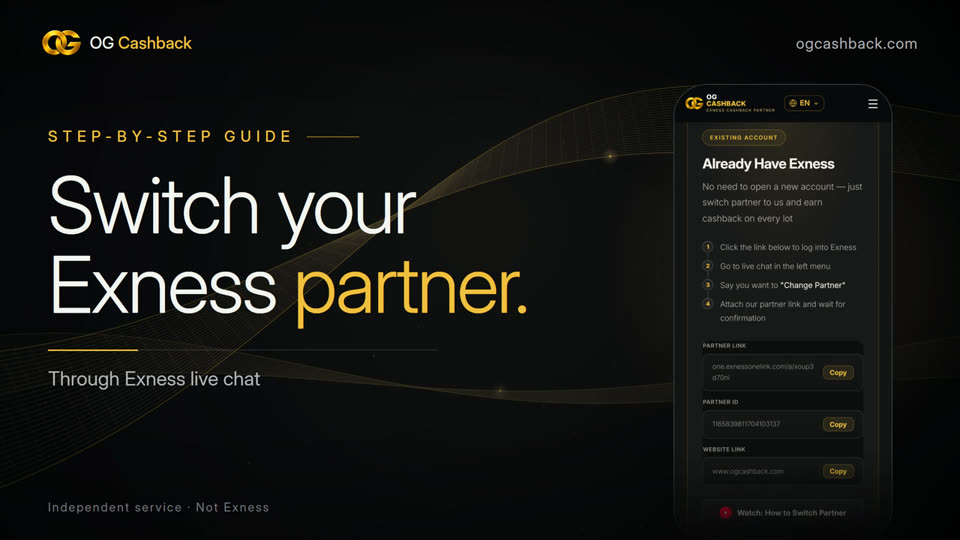
- 1Open live chat in your Exness Personal Area (official Exness website or app).
- 2Ask for a partner change and give our Partner ID
1165839811704103137 - 3After the approval email from Exness, open a new trading account in your Personal Area. It links to OG Cashback by itself; existing accounts stay where they are.Tip: after the approval email, log out of Exness, clear your browser cache and log in again before opening the new account. Accounts opened before the approval cannot be moved.
New to Exness
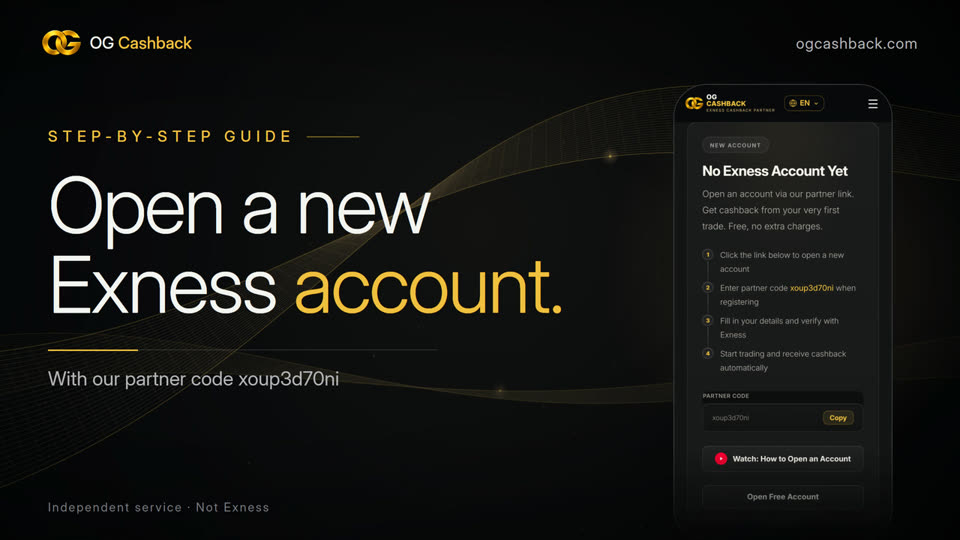
Register with this same email. The account links to OG Cashback by itself and this page updates within about 30 minutes. The rebate starts from your first UTC trading day.
Different Exness email?
If your Exness account uses another email, change the email of this membership. We send a code to that inbox to confirm it is yours, then look up its accounts.
My accounts
Add an Exness account
- 1Open a new trading account in your Exness Personal Area, signed in with .
- 2Because your Exness profile is under OG Cashback, the new account is too. It shows here as Active within about 30 minutes.
- 3Account under a different email? Change the email in Settings first.
Rebate per trade is your share for that order, from the amount Exness credits into the same account; order numbers match your MT4/MT5 history. Per-order amounts show three decimals, daily totals are rounded to the cent. Trades from the current UTC day stay Pending until Exness credits them after the day closes. Rows marked "estimated" are our calculation until the credit is confirmed. We never hold your money.
History
Rebate by trading day, all accounts combined. Days are UTC trading days; Exness credits each day after it closes.
Report
Settings
Changes save as you make them.
Profile
We send a 6-digit code to the new address. Only the owner of that inbox can finish the change, so nobody can point this membership at someone else's Exness accounts.